作者: LinkLi

  • 犀牛小家电与数码产品课程

    犀牛小家电与数码产品课程

    犀牛小家电与数码产品建模

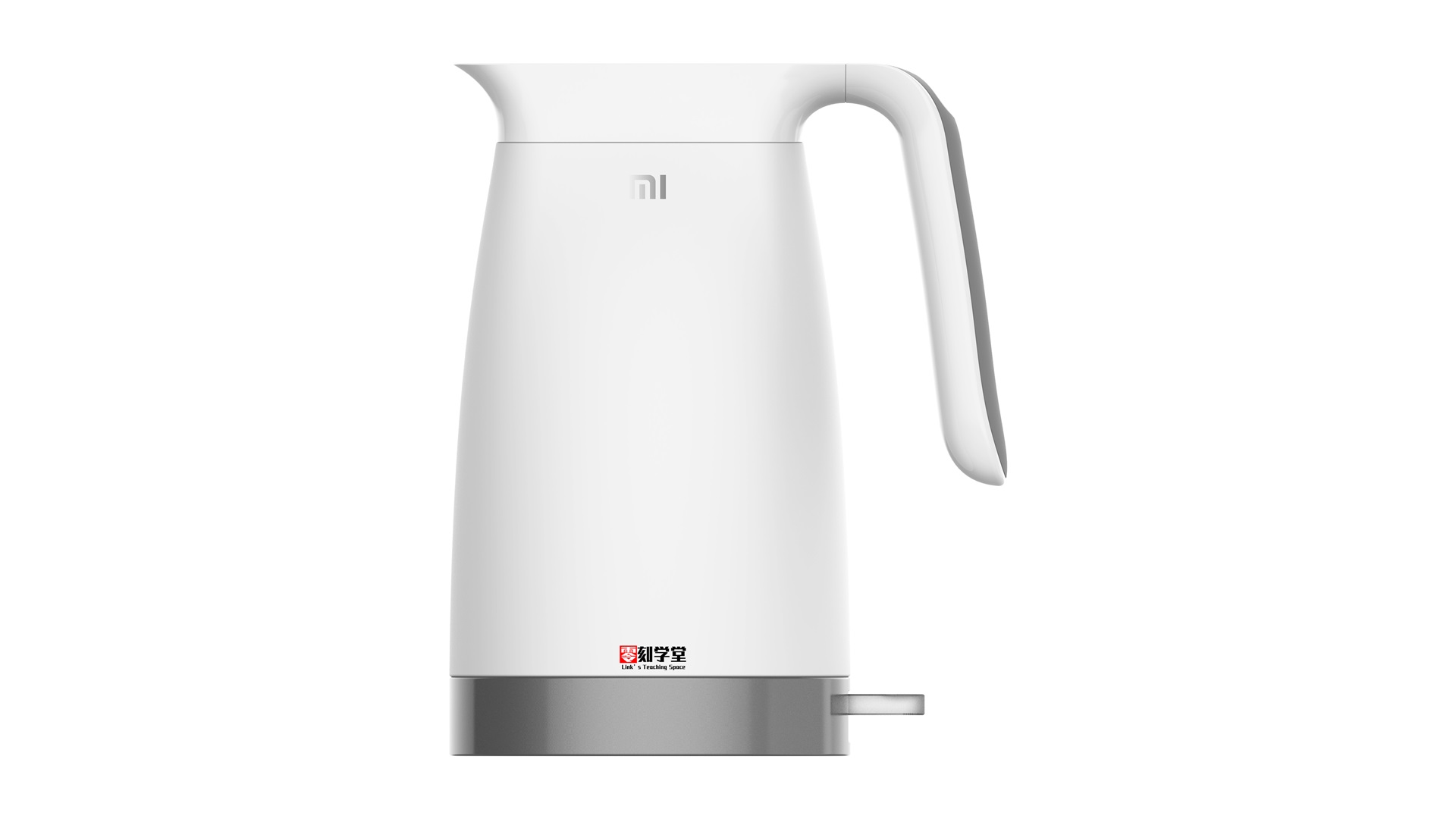
    小米热水壶

    双轨扫掠、网格线生成曲面、混接曲线、沿路径旋转


    头戴式耳机

    旋转成型、网格线生成曲面、混接曲线、建立圆角曲面


    罗技G304鼠标

    修剪、拉伸、网格线生成曲面、混接曲线、建立圆角曲面,环形阵列,布尔运算切割


    简洁吹风机

    双轨扫掠、旋转成型、偏移曲线、建立网格曲面、布尔运算切割


    咖啡研磨器

    旋转成型、偏移曲线、布尔运算切割


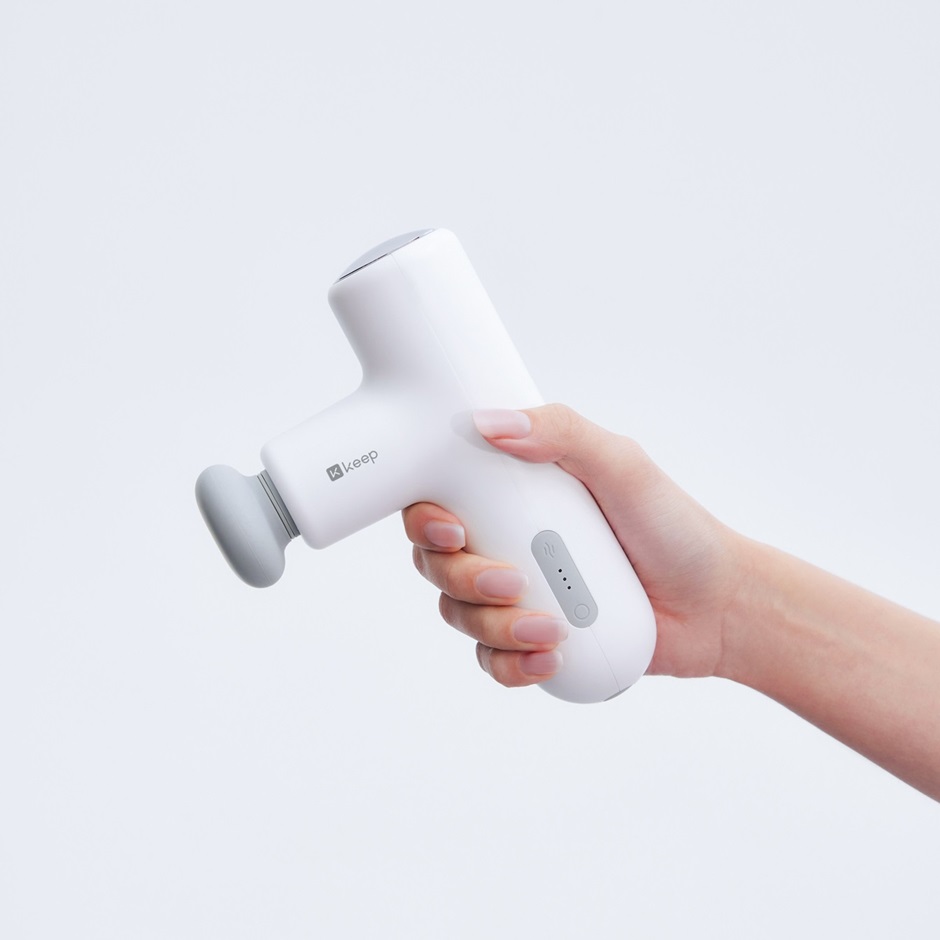
    按摩器

    旋转成型、混接曲线、建立网格曲面、双轨扫掠


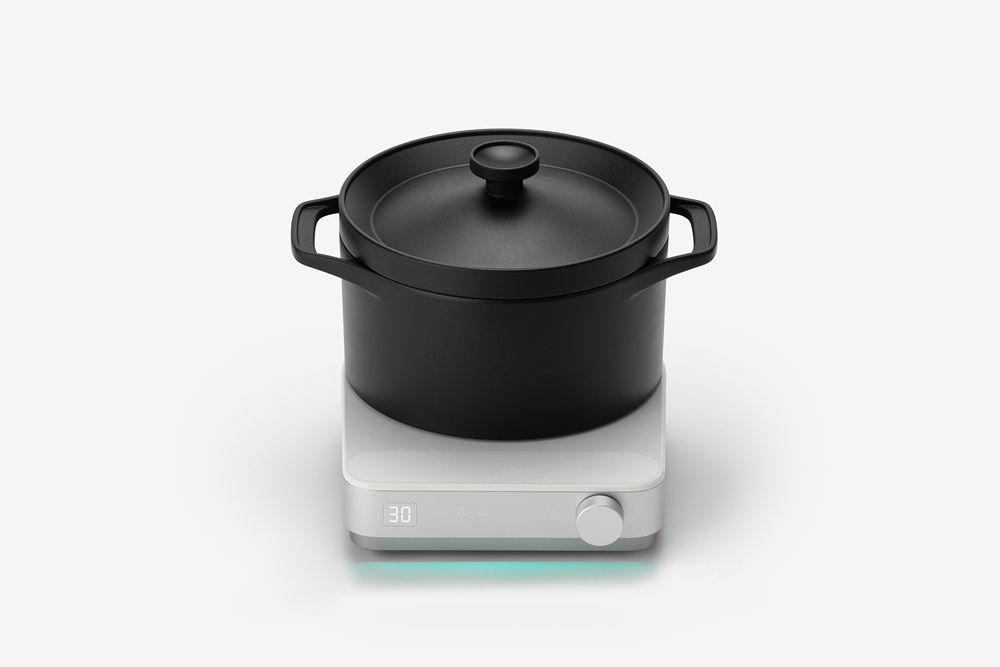
    智能炊具

    旋转成型、混接曲线、建立网格曲面、双轨扫掠


    除毛器

    混接曲线、建立网格曲面、双轨扫掠、布尔运算切割


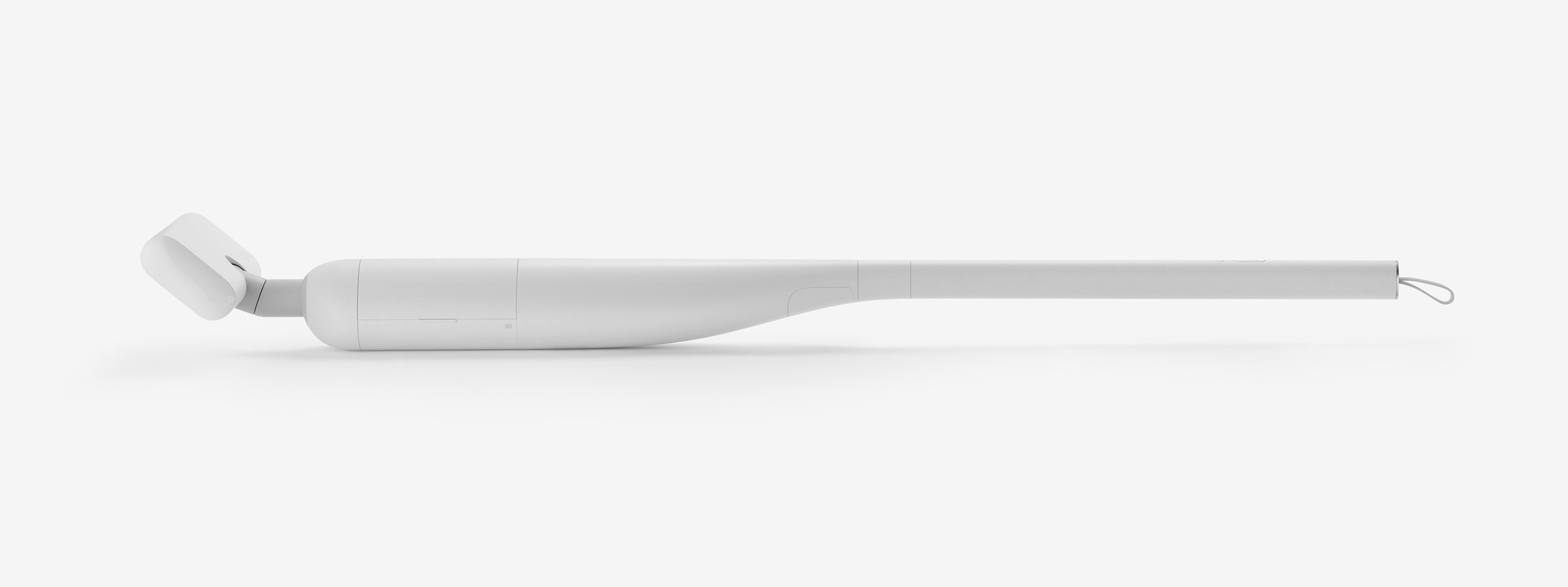
    吸尘器

    拉伸、布尔运算切割、混接曲面


    多功能台灯

    拉伸、布尔运算切割、混接曲线、双轨扫掠


  • BIM建筑结构建模课程

    BIM建筑结构建模课程

    Revit建筑结构建模课程学习大纲

  • 草图大师坯子库管理和插件整合包下载含插件安装方法

    草图大师坯子库管理和插件整合包下载含插件安装方法

    打包的文件列表

    1坯子库管理器和插件包2018-2023.rbz
    SU-快捷键-1.png
    SU-快捷键-2.png
    SU-快捷键-3.png
    SU-快捷键(LH-Z=2022).dat
    SU-插件集及快捷键导入方法.mp4


  • Grasshopper-Tree运算器常见用法上课笔记之一

    Grasshopper-Tree运算器常见用法上课笔记之一

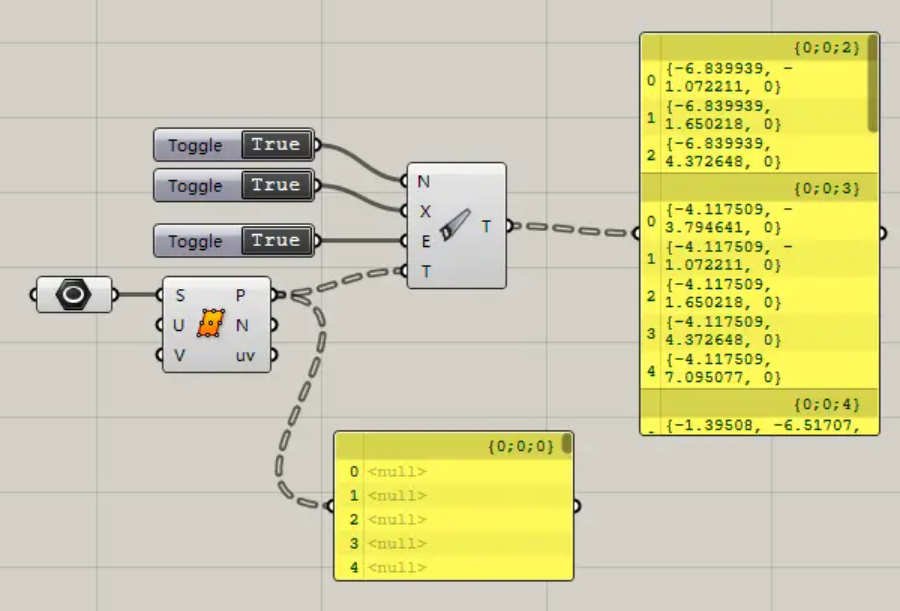
    Pasted image 20220924151738
    Clean Tree:清理数据,清理空、无效数据、无效的分支。

    • N端口清理空数据,默认Ture。
    • X端口清理无效数据,默认True。
    • E端口清理无效的分支。默认False。
    • T端口输入数据列表。

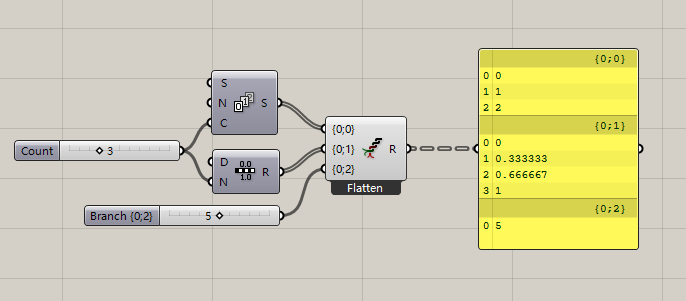
    Flatten Tree:拍平数据。

    Graft Tree:分组数据。

    Prune Tree:修剪树形数据,删除限定个数的分支。
    Pasted image 20220924152618

    • T端口输入数据列表。
    • N0端口输入分支个数的下限值。
    • N1端口输入分支个数的上限值。

    Simplify Tree:简化列表路径,删除多余路径值。

    Tree Statistics:输出树形数据的属性。
    Pasted image 20220924153147

    • P端口输出路径的列表。
    • L端口输出每个路径下列表数据个数。
    • C端口输出路径的个数。

    Trim Tree:修剪树形数据。
    Pasted image 20220924154335

    • D端口输入一个整数,D值表示清理的路径的层数,0维持树形路径的现状,输入1清理掉路径最右边的一个路径值,输入2清理掉路径最右边的两个路径值,以此类推,直到无路径值可以清理。

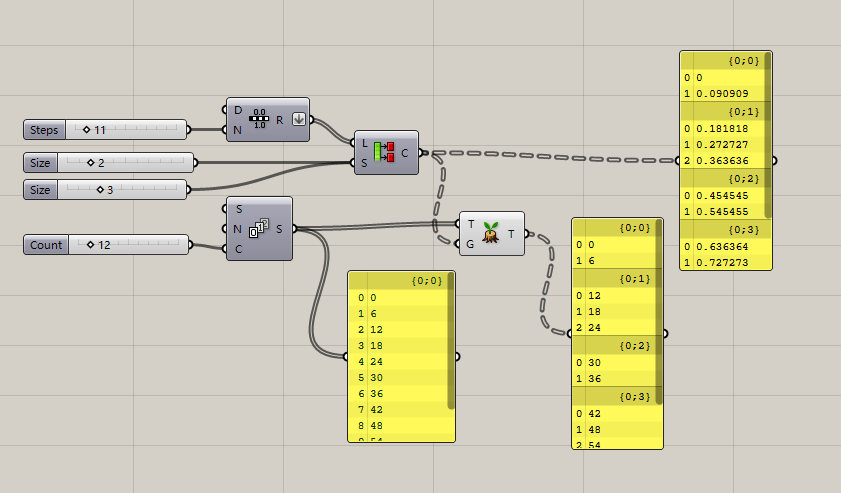
    Unflatten Tree:在不拍平数据的情况下,把数据(Items)移动到目标分支内。
    Pasted image 20220924160907

    • G端口输入目标分支路径。

    Entwine:收集数据到指定的路径下。
    Pasted image 20220924170057
    放大图标可以增加路径编号。

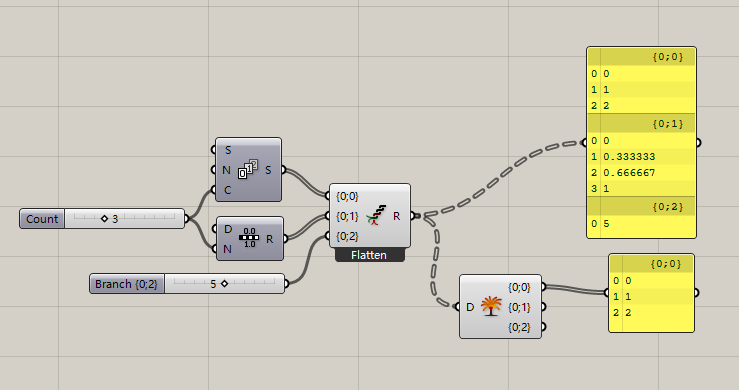
    Explode Tree:炸开树形数据,从树形数据分离所有分支到单个列表。
    Pasted image 20220924170634

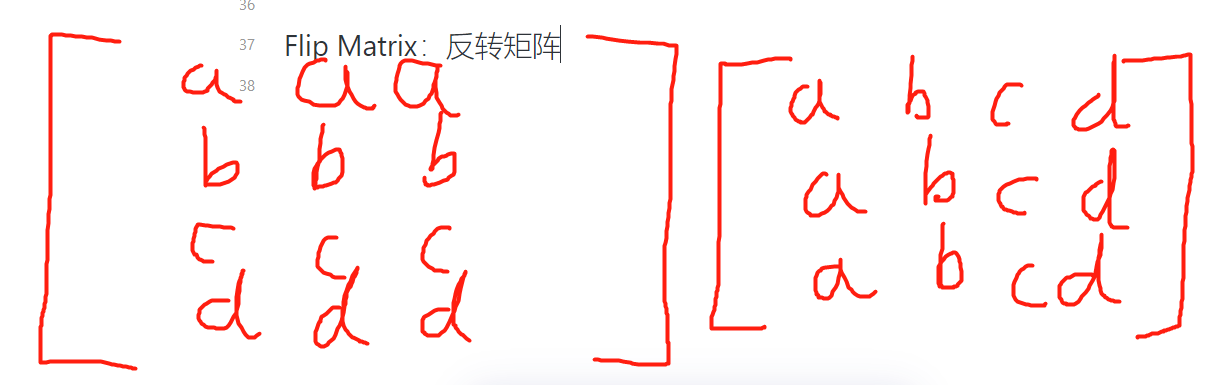
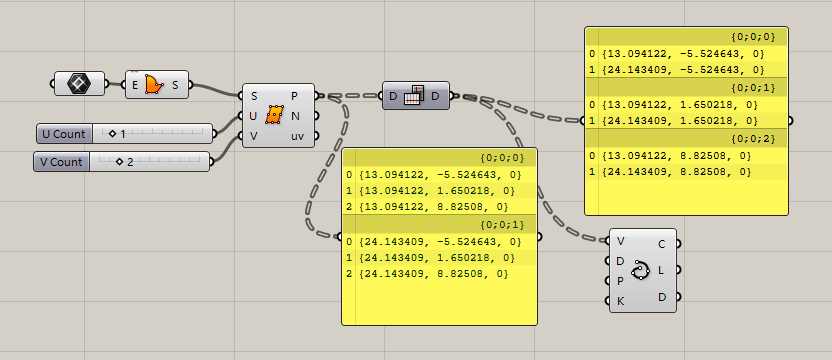
    Flip Matrix:反转矩阵.
    Pasted image 20220924171526
    Pasted image 20220924171853

    Merge:合并数据。合并同一个路径分支的数据。
    Pasted image 20220924172424
    放大图标可增加导入的数据接口

  • Grasshopper中Sequence上课笔记

    Grasshopper中Sequence上课笔记

    Sequence:数列,这个页面的运算器是作用于生成数学常见的数列和删除数列指定项目的。

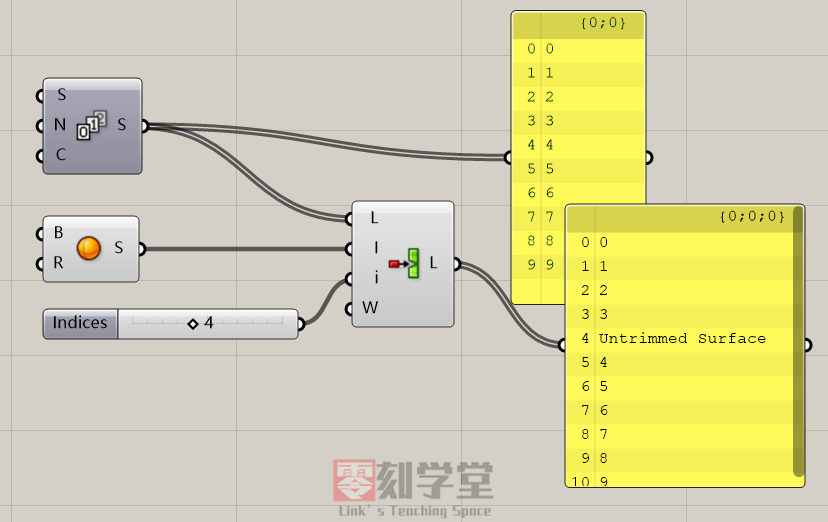
    • Cull Index:按序号删除列表的项目。
      • i:输入要删除序号
        Pasted image 20220917110915
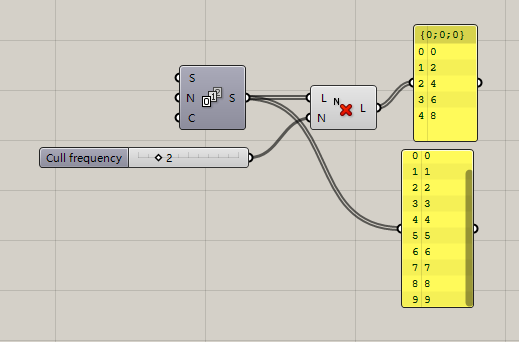
        Cull Nth:删除每第N个数据。
      • N输入大于等于的整数
      • Pasted image 20220917113349
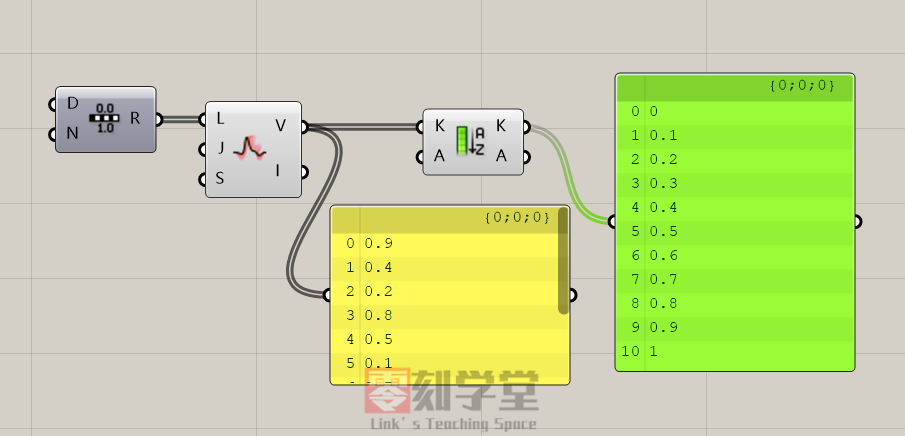
        Cull Pattern:按Ture/False列表删除项目-
      • P端口输入删除的规则,删除规则也可以用0和1组成。
      • 0表示删除物件,1表示保留物件
      • Pasted image 20220917114050
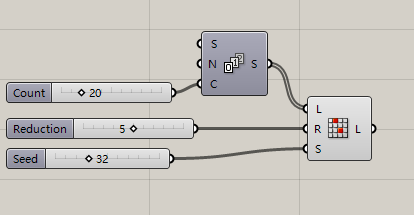
        Random Reduce:随机删除列表的物件并输出随机打乱的数据列表。
      • R端口要随机移除的数据个数。
      • S端口输入随机种子整数,每一个整数代表一个随机排列。
      • Pasted image 20220917114906
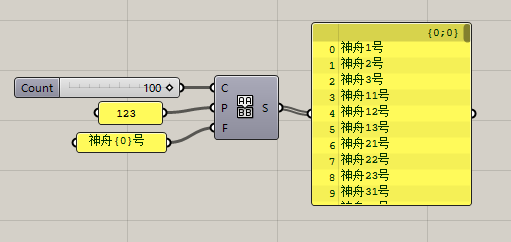
        Char Sequence:创建文字列表。
      • C端口输入列表的长度。
      • P端口输入列表出现的字符
      • F端口格式化输出列表,{0}表示列表的数据
      • Pasted image 20220917120022
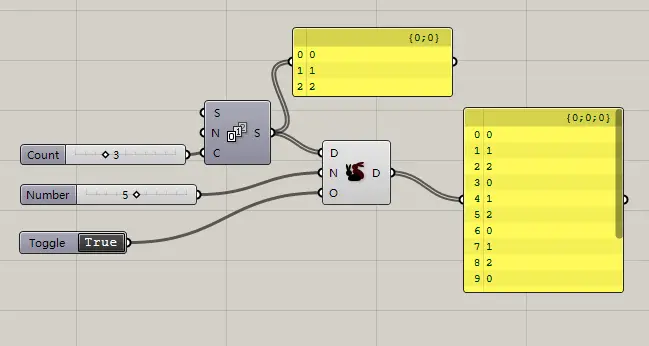
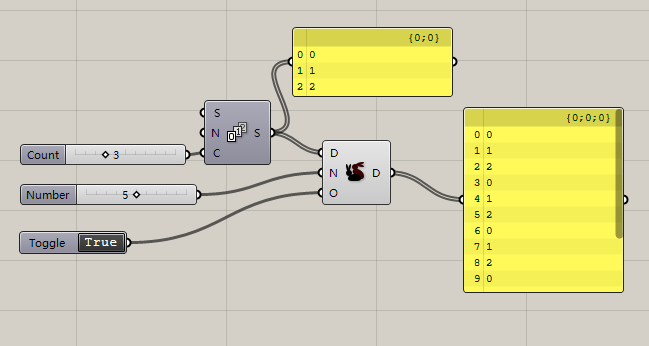
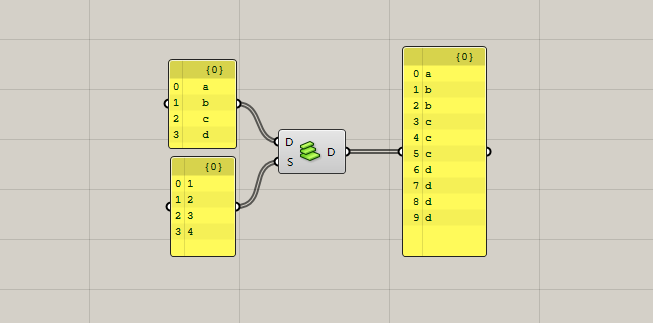
        Duplicate Data:复制数据。
      • N端口输入复制的个数
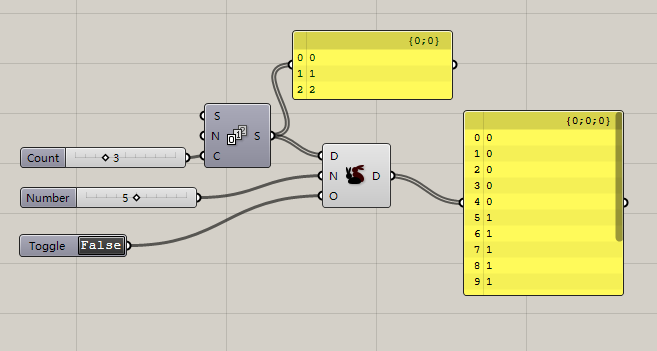
      • O端口切换输出数据的排列方式,排列方式有两种
        1. 默认按ABCABCABC….方式输出。
        2. Pasted image 20220917144547
        3. 当O输入False时,数据按AAAABBBBCCCC方式输出。
        4. Pasted image 20220917144618
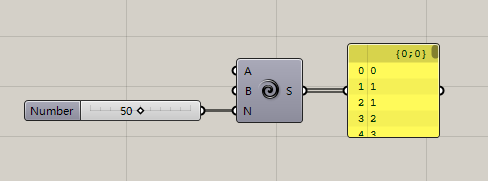
          Fibonacci:斐波那契数列。又称黄金分割数列,因数学家莱昂纳多·斐波那契(Leonardo Fibonacci)以兔子繁殖为例子而引入,故又称为“兔子数列”,指的是这样一个数列:1、1、2、3、5、8、13、21、34、……
        5. Pasted image 20220917151235
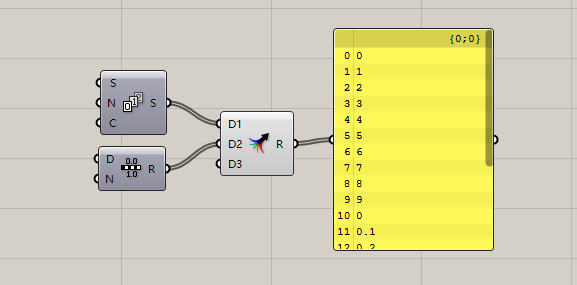
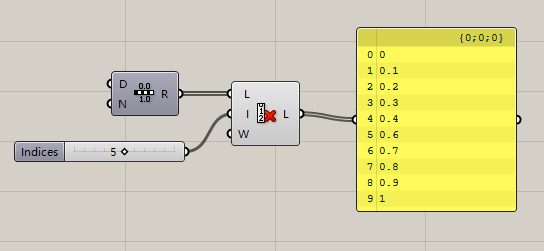
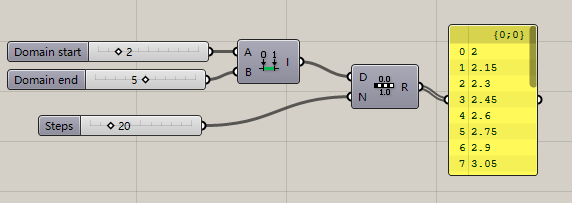
          Range:区间,默认输出0到1区间的等差数列。
      • D端口输入区间范围
      • N端口输入等差数列的个数
      • Pasted image 20220917151536
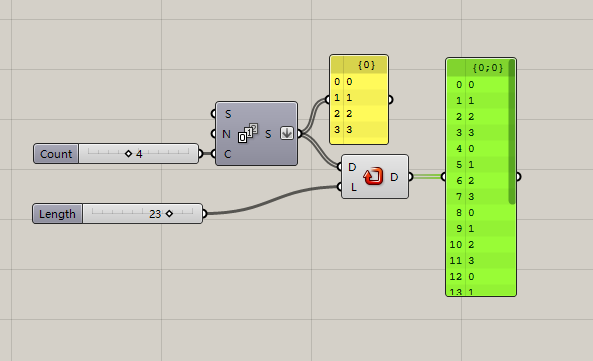
        Repeat Data:重复数据
    • L端口输入列表的总长度(列表数据的个数)
    • 当L数比原始数据大时,多出来的空位用重复数据填充
    • 下图当中,L=23,23-4=19,那19个数据的空位用重复原始数填充。
    • Pasted image 20220917152149
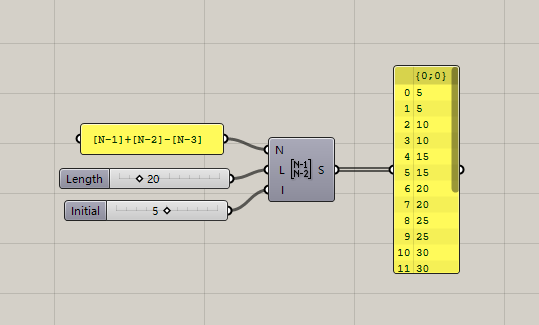
      Sequence:数列
    • N端口输入数列的公式。
    • 公式内[N-1]指数列的第N项的前一项,[N-2]指数列的第N项的前两项。
    • Pasted image 20220917153756
    • L端口输入列表的总长度。
    • I端口输入数列的前两项的值。
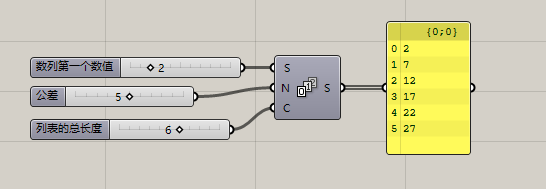
      Series:等差数列。
    • S端口输入数列的首位数值
    • N端口输入等差数列的公差。
    • C端口输入等差数列的个数。
    • Pasted image 20220917154804
      Stack Data:堆栈数据。
    • S端口输入堆栈数据个数。
    • Pasted image 20220917155700
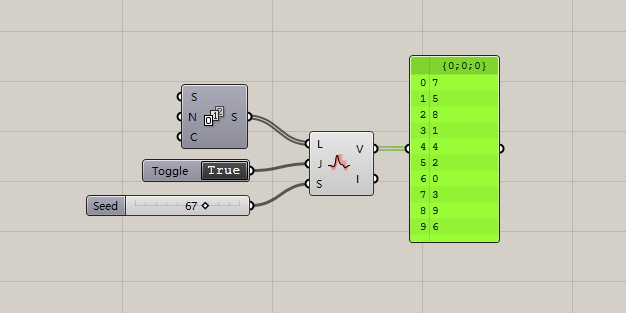
      Jitter:震荡数据,打乱数据的排序。
    • J端口输入1或0,1开启震荡数据,0关闭 震荡数据。
    • S端口输入随机数种子。
    • Pasted image 20220917160638
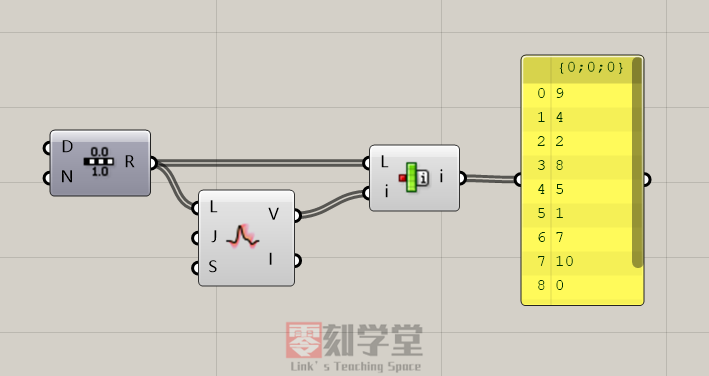
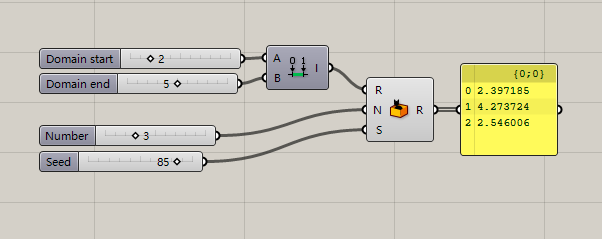
      Random:随机数。
    • R端口输入随机数的区间。
    • N输入随机列表的长度。
    • S输入随机种子。
    • Pasted image 20220917161123
  • Sets集合面板之数据列表的运算

    Sets集合面板之数据列表的运算

    Set:集合面板
    作用:关于数据列表的运算,列表运算一般包含数据的增、删、改、查。
    List:列表的运算
    Sequence:数列的运算
    Sets:集合的运算
    Text:字符的运算
    Tree:数据结构的运算

    List:只要是数据的集合都可以称之为列表(List),一个数据或多个数据都可以成为列表。

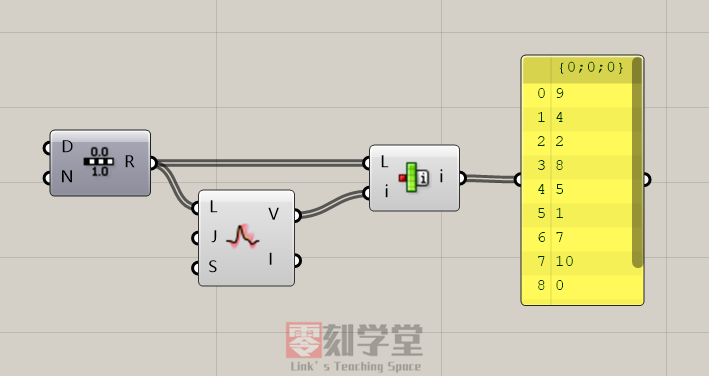
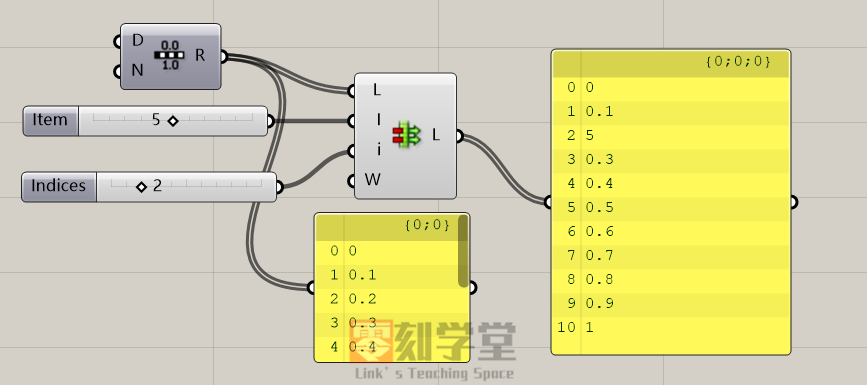
    Insert Items:插入列表,给原始列表插入数据,L端口是原始列表,I要插入的数据,i插入数据位置。
    Pasted image 20220903113204
    Item Index:获取数列的序号
    Pasted image 20220903114207

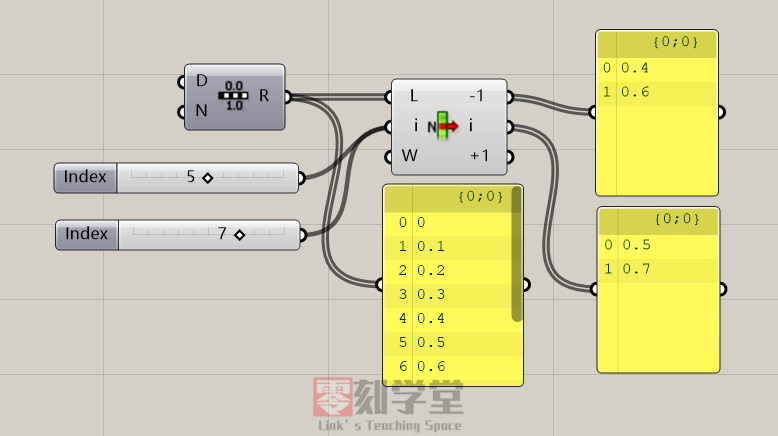
    List Item:获取指定序号(Index)的数据。
    i端口输入要获取的数据的序号,可以输入一个或多个。
    放大视窗会可以增加减少输出端口。
    Pasted image 20220903114629

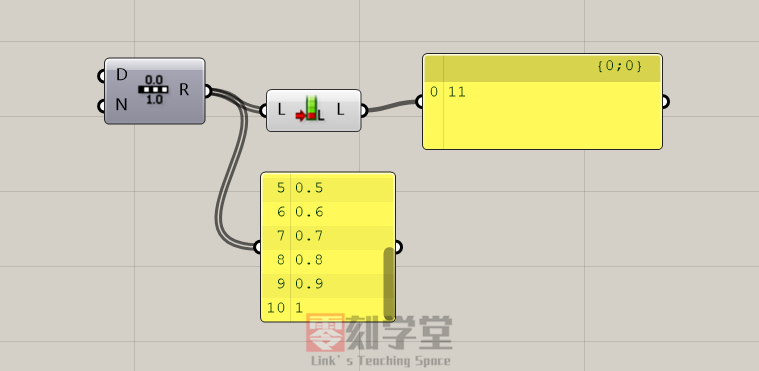
    List Length:获取列表的长度(数据的个数)。
    Pasted image 20220903115126

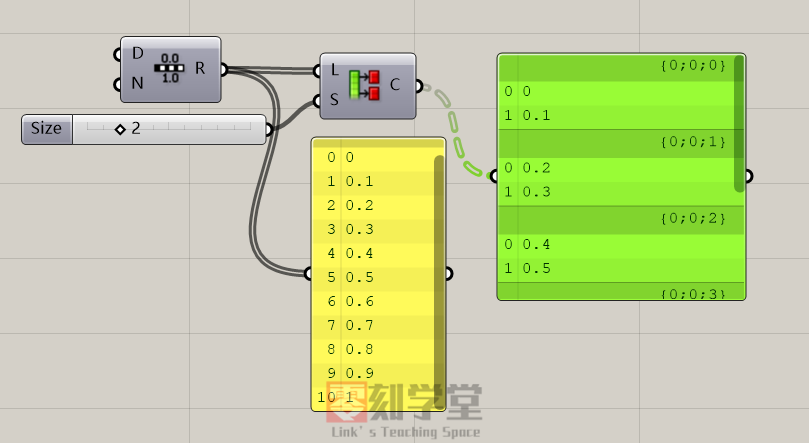
    Partition List:按数量拆分数据列表
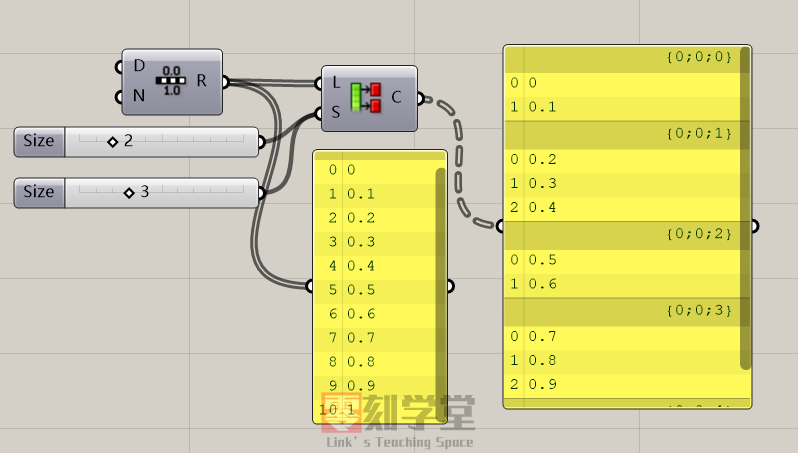
    S端口输入拆分后的列表数据的数量,S端口可以输入一个整数或者多个整数。
    Pasted image 20220903115443
    输入多个整数的情况,下图当中S端口输入2和3两个数字,那么输出的列表为2个数字和3个数字的列表集合。
    Pasted image 20220903115759

    Replace Item:替换数据。
    L端口原始数据,I要替换的数据,i替换数据的位置
    Pasted image 20220903120143

    Reverse List:翻转数据的排序。
    快捷方式:在数据端口点击右键,选择Reverse命令
    Pasted image 20220903120639

    Shift List:偏移数据序号。
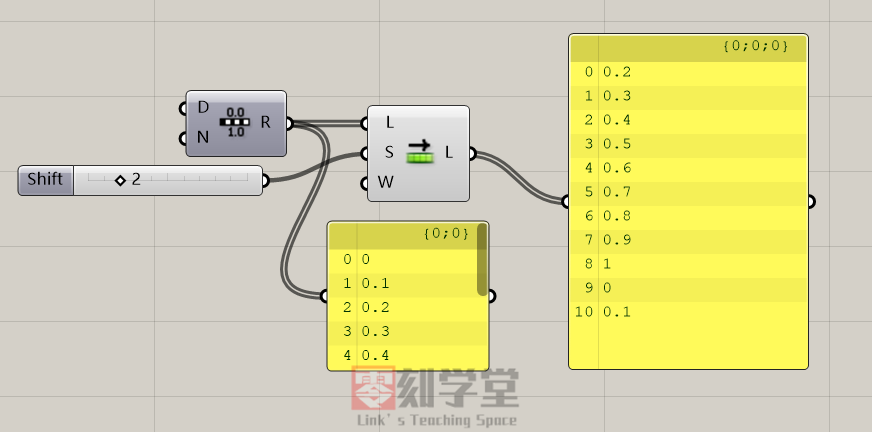
    S端口输入偏移的位数,比如输入1,这数据往后偏移1位,输入5,这数据往后偏移5位。
    Pasted image 20220903121017
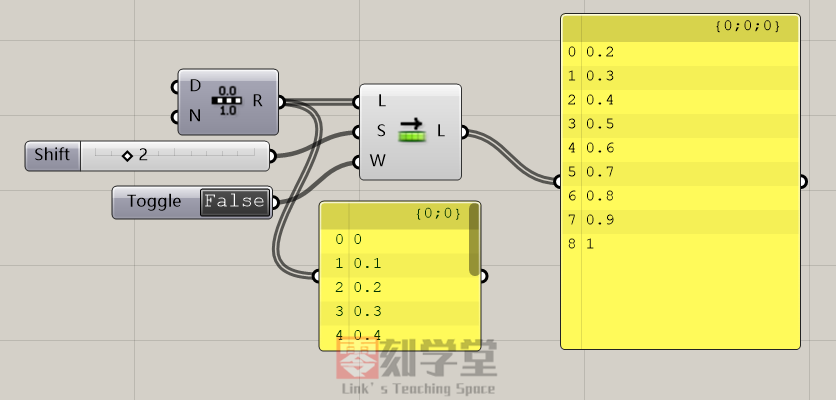
    W端口控制是否删除偏移后的数据,默认不删除,W端口输入False则删除数据。
    Pasted image 20220903121351
    Sort List:按升降顺序排列数据。
    下图当中打乱数据的列表经过Sort List运算器后又重新升序排列顺序了。
    Pasted image 20220903121740

    Split List:分割列表
    i端口输入整数,按整数的数值分割成A和B两个新的列表。
    Pasted image 20220903122224

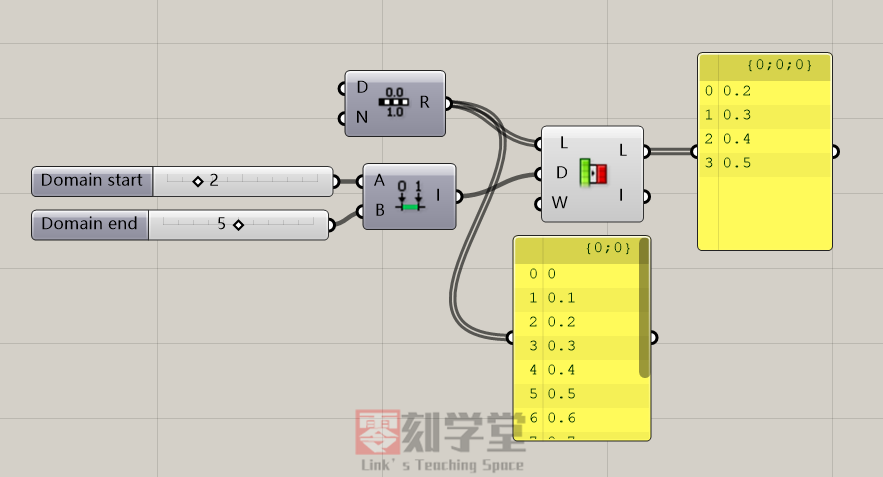
    Sub List:获取子列表
    D端口输入子列表的区间值。
    Pasted image 20220903122450

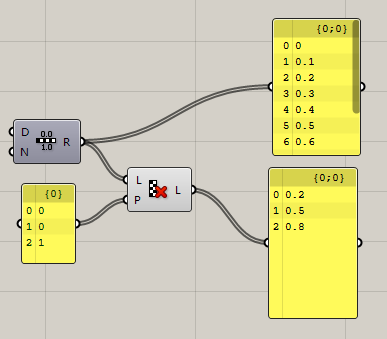
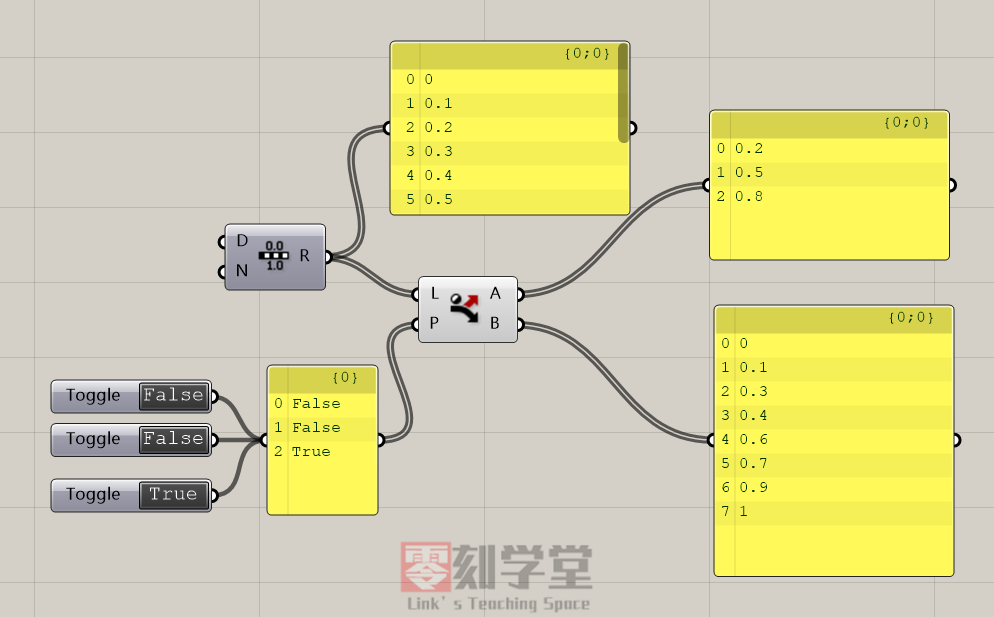
    Dispath:数据分流,根据布尔值的规则分为A和B两个数列。
    P端口输入分流的规则,规则内Ture数据分流到A列表,规则内False数据分流到B列表。
    默认参数内分流规则的数据为Ture和False,P端口可以任意的添加布尔值。
    Pasted image 20220903143702

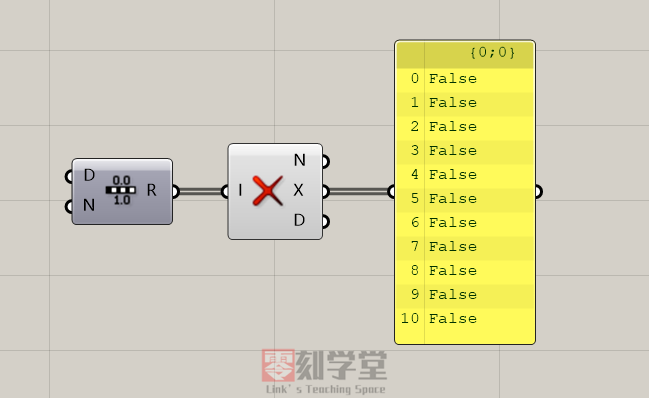
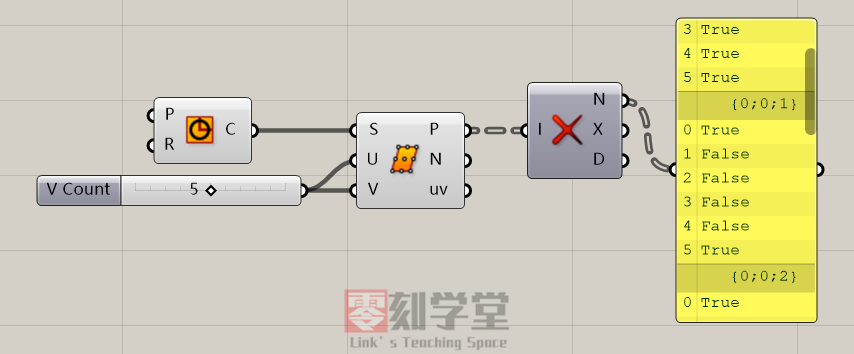
    Null Item:判断空数据,Null代表空数据类型。
    N端口输出False表示没有空数据,输出Ture表示列表有空的数据。
    Pasted image 20220903144500
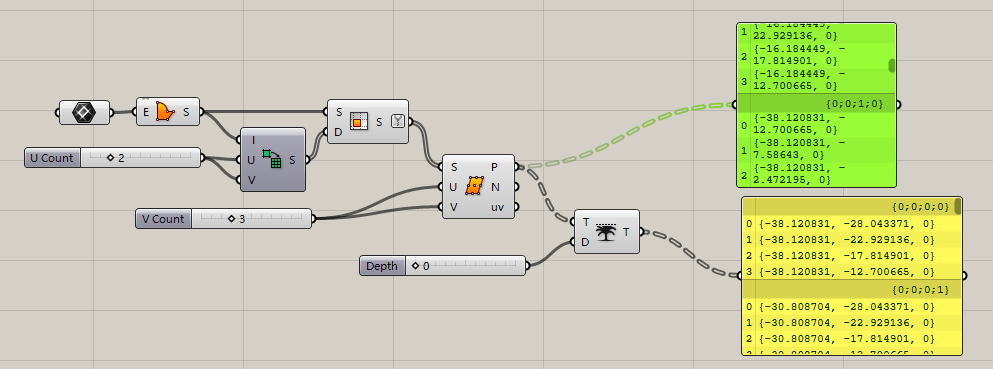
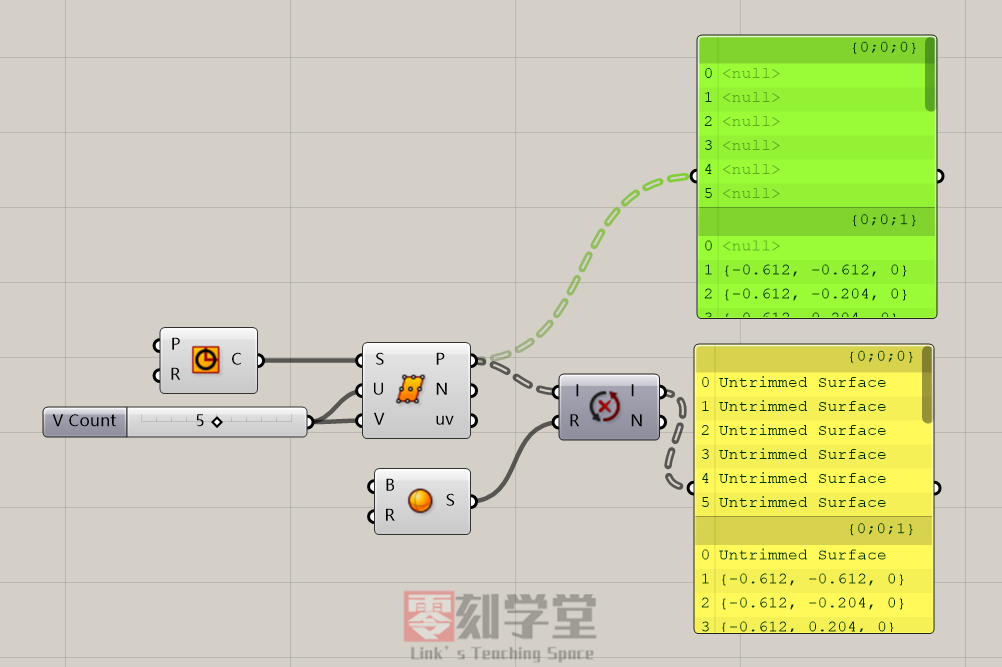
    在下图当中,圆形曲面上做等分点,由于有些等分点是落在圆形外面,圆形的点没有实际坐标,所以输出的点坐标有好多个空数据
    Pasted image 20220903144811
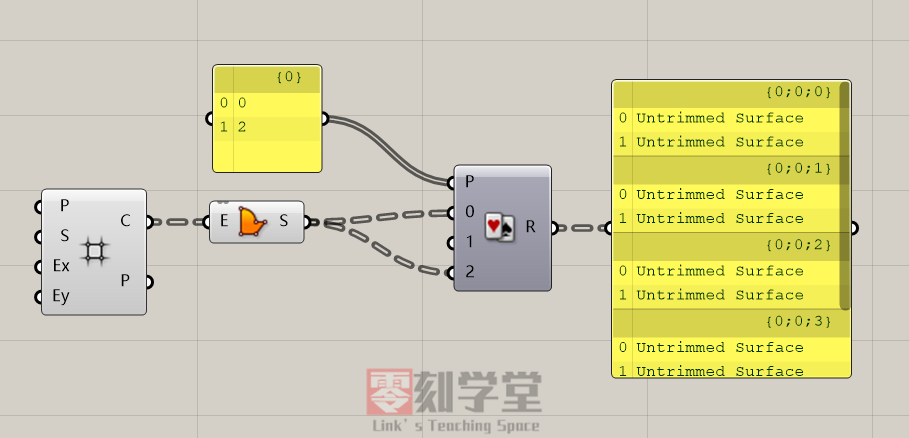
    Pick‘ n’ Choose:拾取选择数据
    Pasted image 20220903150653

    Replace Nulls:替换空数据
    如下图所示
    Pasted image 20220903151604
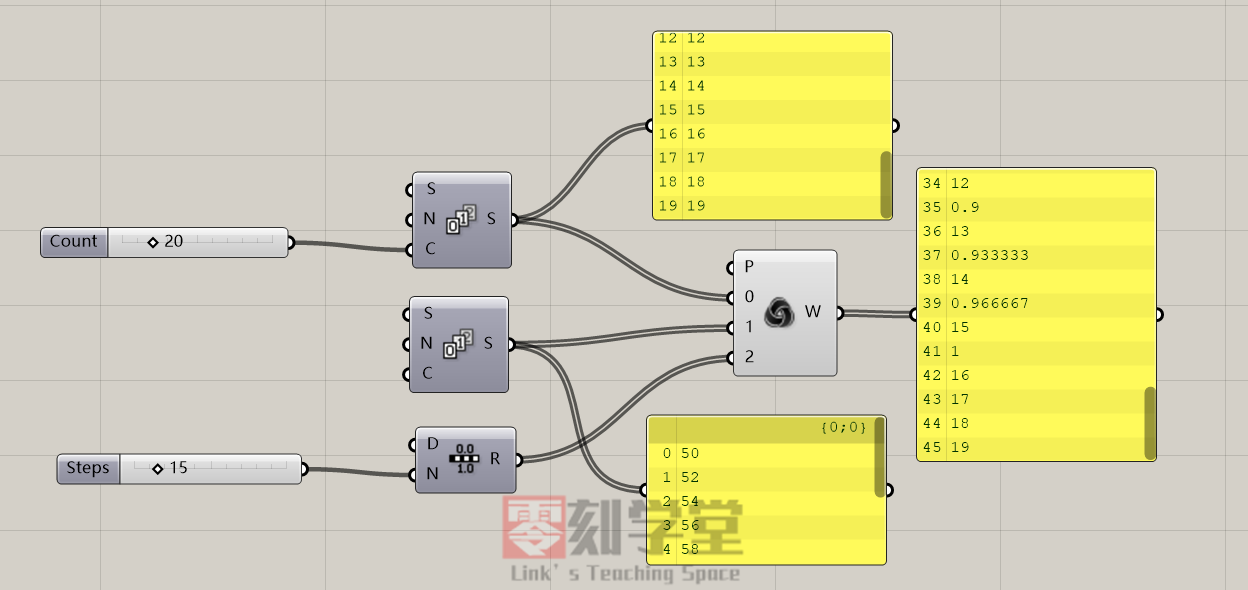
    Weave:混合数据
    P端口输入混合列表的序号,默认值为0,1
    0,1端口输入混合的列表数据,放大视窗可以增加输入端口,输入端口的序号和P端口的数据要一致。
    Pasted image 20220903152159

  • Best dating sites

    Many local newspapers had online personals in the mid 1990s but were bought out by these big dating sites. From some of the comments it really shows how desperate dating sites are for money that they even advertise in comment sections. You have a much better chance going to local events and you will probably spend less than what you would spend on an online dating site.

    Other apps have indicated that they might actually move closer to Facebook. For example, Bumble, founded by a former Tinder executive, said they had already reached out to Facebook regarding how to collaborate. And, “One thing everyone seems to agree on is that Facebook’s effectively endorsing online dating will be a huge legitimization event for the industry,” says Jefferies Internet analyst Brent Thill. According to Amanda Bradford, chief executive of The League, an elite dating app, “Facebook is validating that dating is a high-tech industry with really interesting and hard problems to solve. Still, Facebook could face some obstacles in building enough separation between the dating service and the legacy social network; some users might not like having both activities live on one app.

    After giving him some time to cope with his cat passing away, he made plans to see her again and she was thrilled. He canceled the date last minute again because he said his grandma had died. Although this seemed too tragic to be true, she gave him the benefit of the doubt that he was telling the truth. Additionally, if someone is giving you a checklist right away of all of the things they want in a future partner, this may be a red flag for some controlling behaviors. It’s one thing if they express their non-negotiables but it’s another thing entirely if they are listing required traits. If you feel like someone is already trying to change things about you to suit their needs, that’s not okay. How someone initiates a conversation with you will say a lot about how they view you as a person and how they might treat you as a partner.

    Online dating users are more likely to describe their overall experience with using dating sites or apps in positive, rather than negative, terms. Some 57% of Americans who have ever used a dating site or app say their own personal experiences with these platforms have been very or somewhat positive. Still, about four-in-ten online daters (42%) describe their personal experience with dating sites or apps as at least somewhat negative. Happily, there are some dating services that are looking to overcome the vanity. For example, Hinge matches people based on personality and preferences and lets you create a more interesting and rounded profile to draw people in. One of the few dating sites designed for affairs, Ashley Madison connects users for discreet encounters.

    Basically all a guy like you has to do is instantly grab her attention in a memorable way with both your profile and your messages, then spend the least amount of time possible convincing her to meet you in person. For those who are hesitant to enter the online dating world for reasons related to safety or awkward conversation lulls, Double aims to take the pressure off with Double dates as opposed to one-on-one.

    State things that are really important to you and be done with it. Connor turned an attempt at small talk into a rant about “gold-digging whores,” and the dating app was not having it. Matt- But what about when you said you would meet me in real life and we would lose our virginity together. One Love educates young people about healthy and unhealthy relationships, empowering them to identify and avoid abuse and learn how to love better. If you are going somewhere that serves alcoholic beverages, most bartenders are using secret codes to help customers signal, privately, when they need help if they’re getting harassed or feeling unsafe on a bad date.

    With no financial requirement, free sites will naturally attract a greater proportion of people who are not really committed to finding a genuine relationship. Memberships you gain additional features such as being able to send more messages and receiving event discounts.
  • 新手向教程,如何修改C4D的操作视窗界面的快捷键

    新手向教程,如何修改C4D的操作视窗界面的快捷键

    由于用了多年的Rhino和3DS Max建模软件,对于C4D的操作模式不是特别的习惯,倒也不是不能适应了,总是觉得C4D的界面操作过于别扭。

    一、C4D默认的视窗操作方法:

    • 平移视窗 1—— Alt + MMB
    • 热键缩放视窗 2—— Alt + RMB
    • 热键旋转视窗 3—— Alt + LMB
    • 热键使视窗适合所选元素大小 S—— Alt + S
    • 使视窗适合激活物体大小 O—— Alt + O
    • 使视窗适合场景(不含摄像机和灯光) H—— Alt + H
    • 定制所有视窗——Alt + V
    • 打开渲染视窗——Ctrl + R
    • 取消视窗变化——Shift + Ctrl + Z
    • 重做视窗变化——Shift + Ctrl + Y
    • 最大化视窗1 ——F1
    • 最大化视窗2—— F2
    • 最大化视窗3—— F3
    • 最大化视窗4 ——F4
    • 转变为四视窗——F5
    • 切换活动视窗——Page Up
    • 显示切换快捷菜单——N
    • 刷新视窗——A
    • 显示物体手柄——Alt + D
    • 使用Isoline 编辑——Alt + A

    平移视窗要按Alt+中键,这个操作和3DS Max的视窗有点冲突了,3DS Max的Alt+中键是旋转视窗,不是平移,不能忍啊必须改。
    旋转视窗的操作也是奇葩,Alt+左键的组合在我用过好几种建模渲染软件中是闻所未闻的,必须改了。
    缩放视角我还是用鼠标混轮好了,默认也是使用不习惯。
    使视窗适合场景的默认快捷键是H,和我用过其他快捷键也都不一样,通常这个操作是用【Z】作为快捷键的。

    二、我用过的部分设计软件的视窗操作快捷键对比

    操作 3dsMax Rhino AutoCAD SketchUp Revit PS Keyshot C4D
    旋转视窗 Alt+中键 右键 Shift+中键 中键 Shift+中键 左键 Alt+左键
    平移视窗 中键 Shift+右键 中键 Shift+中键 中键 空格+左键 左键 Alt+中键
    缩放视窗 滚轮 滚轮或Ctrl+中键 滚轮 滚轮 滚轮 Ctrl+ +、- 滚轮 Alt+右键或滚轮
    物体居中 Z Z 双击中键或者Z 选中并对着物体双击中键 Ctrl+0 右键菜单命令 H
    最大化视窗 Alt+W 双击视图标签 最大化窗口按钮 中键
    视窗切换 T L F P 点击标签 点击标签 点击标签 双击楼层名称 F1 F2 F3 F4
    视窗显示模式 F3 F4 视图标签右键 工具栏 风格工具栏 底部状态栏 显示菜单

    三、如何修改C4D的视窗快捷键

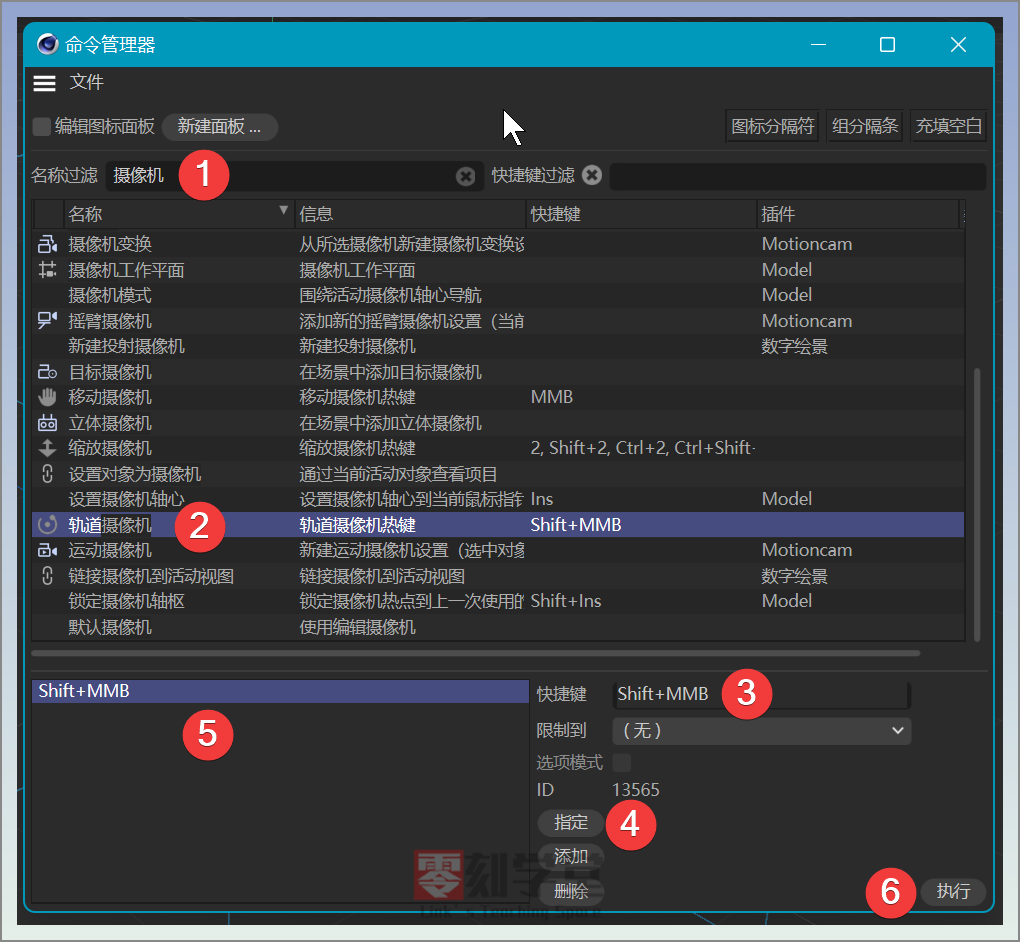
    1. 在C4D的界面下按下快捷键Shift+F12
    2. 会弹出自定义面板
    3. 弹出的面板的名称过滤输入框内输入:摄像机
    4. 这时会列出和摄像机相关的命令
    5. 找到要修改的命令重新制定就好了
    6. 下图以修改【旋转视窗】为例,注意下图的【旋转视窗】翻译成了【轨道摄像机】,修改按键的时候多加留心,还有不同的版本也有可能存在翻译不一致的情况。

      只要按照上图的操作顺序就可以修改操作方式了,其中第三步是输入快捷键,shift+MMB指的是Shift+鼠标中键。
      其他命令就看自己的使用习惯了修改就好了。
      好了,今天的C4D的教程就到这里了。
  • BIM上课视频02-Revit结构工具的建立

    [b2player src=”https://ali.3dscg.com/directlink/2/01video/03BIM/001-3ju-revit/002结构_x264.mp4″ poster=””]

    Revit中结构构件的工具使用教程

    基础


  • BIM上课视频01-Revit界面和建筑工具的使用

    [mine_video type=”mp4″ vid=”https://ali.3dscg.com/directlink/2/01video/03BIM/001-3ju-revit/001建筑_x264.mp4″][/mine_video]

    Revit上课第一节

    Revit的界面和建筑工具的使用